

Automate Follow-Up: Keep the Human Touch
Email Marketing, Automation, Customer Relationships, Small Business
Automating Your Follow-Up Without Losing the Human Touch
Discover how to build automated follow-up systems that save you time, nurture more leads, and still feel warm, personal, and genuinely human to your customers.
Why Automation Feels “Cold” — And Why It Does Not Have to Be
Many small business owners hesitate to automate follow-up because they fear it will make their communication feel cold, robotic, and impersonal. You may have had your own negative experiences: generic emails that clearly came from a system, text messages that arrive at odd hours, or sequences that keep pushing offers long after you have said “no.” It is natural to worry that doing the same to your customers could damage the relationships you work so hard to build.
The truth is that automation is not the problem. Poorly designed automation is. When you treat automation as a blunt tool for blasting the same message to everyone, it will feel mechanical. When you design it thoughtfully—using personalization, smart timing, conversational language, and clear handoffs to real humans—automation can actually make your business feel more attentive and responsive, not less.
Step 1: Start With the Relationship, Not the Software
Before you choose tools or build workflows, step back and think about the relationships you are trying to support. Automation should feel like an extension of how you already communicate with customers, not a separate “robot voice” that takes over when they submit a form on your website. Ask yourself a few grounding questions:
- What does a great follow-up experience look like if I did it manually? How quickly would you respond? What would you say first? What would you ask before suggesting a product or service?
- What frustrates my customers about follow-up? Do they hate being chased too often? Do they feel ignored if they do not hear from you within a day or two? Have they ever complained about “spammy” messages?
- Where do I consistently drop the ball? Maybe you forget to follow up on quotes, lose track of trial users, or never check back in after a project ends. These are prime candidates for automation.
Once you are clear on the experience you want to deliver, you can use automation to protect that experience. Instead of replacing your human touch, automation becomes the safety net that ensures every lead and customer receives a consistent, respectful, and timely follow-up—every time.
Designing Automated Follow-Up Sequences That Feel Personal and Genuine
A follow-up sequence is simply a series of messages triggered by a specific action: a new inquiry, a download, a purchase, a missed call, or a booking. To keep these sequences feeling human, design them around three principles:
- Relevance: Every message should clearly relate to what the person just did and what they are likely to need next.
- Respect: Respect their time, attention, and preferences. Do not overwhelm them with too many messages or push for a sale too quickly.
- Recognition: Recognize who they are, what they have done, and where they are in their journey with your business.
When you build sequences with these principles in mind, your automation feels less like a script and more like a thoughtful series of check-ins from a professional who cares. The tools are the same, but the intent behind them is different—and customers can feel that difference.
Personalization Tokens: More Than Just a First Name
Personalization tokens are dynamic fields that pull information about a contact into your messages automatically. The most common example is using a customer’s first name in the subject line or greeting. While this is a good start, human-feeling automation goes beyond first names. Used thoughtfully, tokens can help you reference:
- What they downloaded or asked for (e.g., “your website audit report” or “your quote for kitchen remodeling”)
- The product, service, or plan they showed interest in (e.g., “Starter Social Media Package” or “6-Week Coaching Program”)
- Key dates (e.g., trial start and end dates, appointment dates, renewal dates, project milestones)
- Their business type or segment (e.g., “local restaurant,” “home services,” “online retailer”)
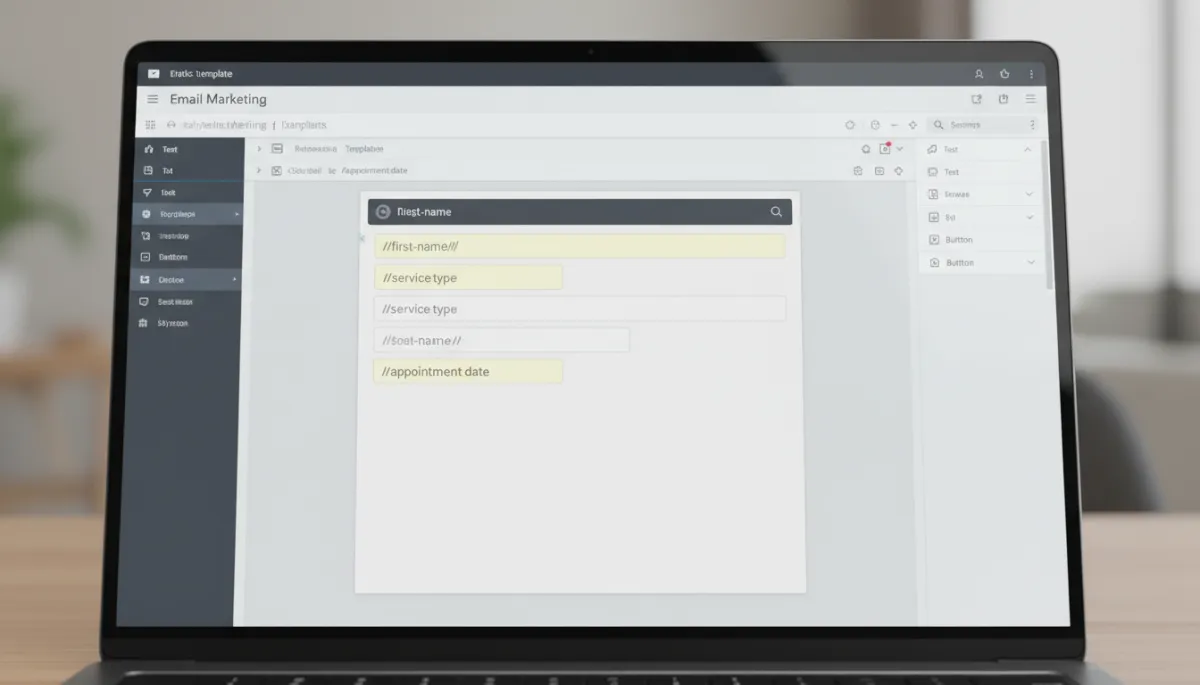
Smart personalization tokens anchor each message in the customer’s real context and needs.
Practical Examples of Human-Centered Personalization
Consider the difference between these two automated follow-up emails after someone requests a quote:
“Hi there, thanks for your inquiry. We will be in touch soon.”
“Hi [First Name], thanks for requesting a quote for [Service Name]. I am reviewing the details you submitted for [Project Address or Business Name] and will send you a detailed estimate by [Quote Delivery Date]. If there is anything specific you want me to consider, you can reply to this email and it will come straight to my inbox.”
Both messages can be automated. The second one simply uses more meaningful tokens and a more conversational tone. It acknowledges exactly what the person asked for, sets expectations, and invites a real response. To the customer, it feels much closer to a personal email you typed yourself.
Guardrails for Using Personalization Tokens Well
- Do not overdo it. A sentence packed with five different tokens can feel awkward or obviously automated. Use one to three tokens per message where they naturally fit.
- Always set fallbacks. If a field is missing (for example, a first name), make sure your system uses a friendly generic alternative instead of “Hi ,”.
- Keep it natural. Read your messages aloud. If the sentence sounds like how you would talk to a customer, your personalization is on the right track.
Timing Strategy: When Automation Feels Helpful vs. Pushy
Even the most carefully written message can feel robotic if it arrives at the wrong time. A thoughtful timing strategy is one of the biggest differences between follow-up that feels considerate and follow-up that feels like harassment. As a small business owner, you want your automation to mirror how a reliable, professional human would follow up—promptly, but with good judgment.
Map Your Customer Journey Before Setting Delays
Start by mapping the key steps someone takes from first contact to becoming a loyal customer. For each step, ask: What would be the most helpful moment to reach out? For example:
- After a new inquiry: An immediate confirmation email or text, followed by a more detailed response within a set timeframe (e.g., 24 hours on weekdays).
- After a quote is sent: A gentle check-in a few days later to answer questions, then another reminder closer to the quote expiration date, if applicable.
- After a purchase: A thank-you message, a quick “how is it going?” check-in, and possibly a request for feedback or a review after they have had time to experience the product or service.
By anchoring your delays to real customer milestones instead of arbitrary intervals, your automation feels more like timely support and less like a countdown timer firing messages on schedule no matter what.
Reasonable Cadence: How Often Is “Too Often”?
While every industry is different, there are some general guidelines that help keep your cadence respectful:
- For new inquiries or hot leads, daily messages for the first few days can be appropriate if they are short, helpful, and clearly connected to the person’s request. After that, slow down to every few days or weekly check-ins.
- For general nurturing (such as newsletter subscribers), once a week or once every two weeks is usually enough to stay top-of-mind without overwhelming people.
- For post-purchase follow-up, a short sequence over 7–30 days works well: a thank-you, a usage tip or onboarding guide, then a feedback or review request.
Respecting Time Zones and Business Hours
One advantage of automation is that your follow-up can go out quickly, even when you are not at your desk. However, messages that arrive at 2:00 a.m. or during holidays can feel jarring or inconsiderate. Most automation tools allow you to:
- Send messages within specific time windows (for example, 9:00 a.m. to 6:00 p.m. in the recipient’s time zone)
- Pause non-essential campaigns on major holidays or weekends
Taking the time to configure these settings signals to your customers that there are real people behind your messages who understand their daily lives, not just a machine firing off emails at any hour.
Conversational Messaging: Writing Like a Person, Not a Robot
If your automated messages sound stiff, overly formal, or packed with jargon, no amount of personalization or perfect timing will make them feel human. Conversational messaging is a key ingredient in warm, believable automation. The goal is to write as if you are speaking to one real person, not broadcasting to a list.

Writing follow-up emails in a natural, conversational voice keeps automation warm and relatable.
Simple Guidelines for Human-Sounding Copy
- Use “you” and “I.” Speak directly to the reader (“you”) and, when appropriate, from a real person in your business (“I” or “we”).
- Keep sentences and paragraphs short. Long blocks of text feel heavy and corporate. Short paragraphs are easier to read on phones and feel more like a real conversation.
- Use everyday language. Avoid buzzwords and technical jargon unless your audience expects them. Choose clear, simple words over complicated ones.
- Ask genuine questions. Invite replies by asking questions you truly want answers to, such as “What is your biggest challenge with…?” or “Is this timeline workable for you?”
Before-and-After: Turning a Robotic Follow-Up Into a Human One
Imagine you run a local marketing agency and someone downloads a social media checklist from your website. Here is how a robotic follow-up might read:
“Dear Subscriber, Thank you for downloading our resource. Our company offers a wide range of services. Please visit our website to learn more.”
Now compare that with a more conversational, personalized version:
“Hi [First Name],
Thanks again for grabbing the Social Media Checklist for [Business Type]. Most owners tell me the hardest part is staying consistent once things get busy.
If you want, hit reply and tell me which platform is giving you the most trouble right now. I am happy to share one or two quick ideas that work well for businesses like yours.
Talk soon,
[Your Name]”
Both messages can be automated, but the second one feels like a real person wrote it today, just for that reader. It focuses on their situation, invites dialogue, and offers value before asking for anything in return.
Knowing When to Hand Off to a Human
The most human thing about a great automated system is that it knows its limits. Automation is excellent at routine, predictable follow-up, but there are moments when your customer needs to feel a real person on the other end. A strong follow-up strategy includes clear handoff points where automation steps back and a human takes over.
Triggers That Should Alert a Real Person
- Direct replies to automated emails or texts. Any time someone replies, your system should route that message to a real inbox or CRM task list—not send another automated response that ignores what they said.
- High-intent actions. If someone clicks “Book a call,” requests a custom quote, or views your pricing page multiple times, that is a strong signal they are ready for a human conversation.
- Signals of confusion or frustration. Phrases like “I do not understand,” “This is not what I expected,” or “Please cancel” should trigger a personal follow-up, not another generic message.
Designing Smooth Human Handoffs in Your Sequences
A good handoff is both internal (your team knows what to do) and external (the customer knows who they are talking to). Here is how to build both:
- Internally, assign ownership. When a trigger fires, your system should assign that contact to a specific team member with clear instructions (for example, “Call within 1 business day and log notes”).
- Externally, introduce the human. Your automated message can say, “I am going to connect you with [Team Member Name], who will help you with the next steps. You will hear from them by [Timeframe].”
When customers see that there is a clear path from automated touchpoints to real conversations, they are more likely to trust your system—and your business as a whole.
Putting It All Together: Example Follow-Up Sequences for Small Businesses
Example 1: Service-Based Business Responding to New Inquiries
Imagine you run a home renovation business. A prospective customer fills out a form requesting a quote. Here is how a human-centered automated sequence might look:
- Instant confirmation (email or SMS): A short message thanking them by name, confirming what they requested, and letting them know when they will hear back. This uses personalization tokens for [First Name], [Project Type], and [Expected Response Time].
- Within 24 hours: A more detailed email from you (or a team member) with next steps, possibly requesting photos or additional details. The tone is conversational and invites a reply with questions.
- After quote is sent: An automated check-in 3–4 days later asking if they had a chance to review the quote and whether anything is unclear. If they click a “Schedule a call” link, the system creates a task for a human follow-up.
- One week later (if no response): A final gentle message letting them know the quote will remain valid until a certain date and inviting them to reach out when they are ready—no pressure.
This sequence respects their decision-making process, offers help at each stage, and avoids endless chasing. Automation ensures no one falls through the cracks, while humans step in whenever there is a sign of active interest or a question.
Example 2: Online Store Post-Purchase Follow-Up
If you run an online store, your follow-up after a purchase is a powerful opportunity to build loyalty. A human-feeling automated sequence might look like this:
- Order confirmation: An immediate email confirming the order details with a warm thank-you and a clear summary of what they purchased, shipping timelines, and how to contact support if something is wrong.
- Shipping notification: A message when their order ships, with tracking information and a brief note about what to expect when the product arrives (for example, any setup steps).
- “How is it going?” check-in: A few days after delivery, a short email asking if everything arrived as expected and offering a simple way to contact support if there is an issue. Replies to this email should go directly to a human support inbox.
- Review request: After they have had time to use the product, a polite request for a review, making it easy for them to leave feedback and reassuring them that you actually read their comments.
None of these messages need to be written manually each time, but they should all sound like they could have been. That is the balance you are aiming for.
Avoiding Common Mistakes That Make Automation Feel Robotic
As you build out your automated follow-up, be aware of a few common pitfalls that can quickly undermine the human experience you are trying to create:
- Over-automation: Trying to automate every single interaction, including situations that clearly require human judgment or empathy, such as complaints, complex custom projects, or sensitive topics.
- Ignoring behavior: Continuing to send “Are you still interested?” messages after someone has already booked, purchased, or clearly said they are not interested.
- Poor list hygiene: Sending the same follow-up sequence to everyone regardless of their stage, preferences, or past interactions with your business.
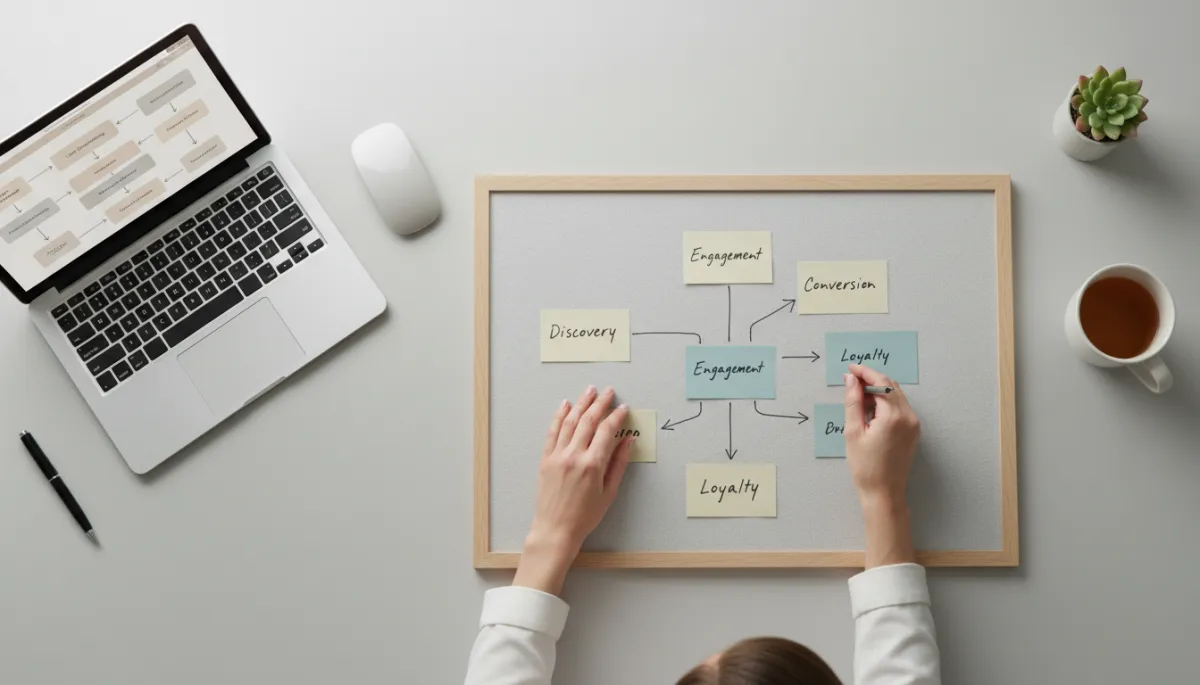
Thoughtful planning of customer journeys prevents over-automation and preserves genuine connection.
Regularly review your sequences from the customer’s perspective. If a message would feel out of place after a certain action, adjust your triggers and conditions. Automation should respond to what people do, not ignore it.
Measuring Whether Your Automated Follow-Up Still Feels Human
To ensure your automated follow-up stays aligned with your values and your customers’ expectations, track both numbers and signals.
Quantitative Indicators
- Open rates and click-through rates: Healthy engagement suggests your messages are relevant and welcome.
- Unsubscribe and complaint rates: Spikes here can indicate that your cadence, tone, or targeting needs adjustment.
- Response rates: If people are replying to your automated messages with real questions or comments, that is a strong sign they perceive them as human and approachable.
Qualitative Feedback
- Ask new customers how they found your follow-up process. Was it helpful? Did anything feel repetitive or impersonal?
- Encourage your team to flag any messages that feel awkward to send or respond to. They often see patterns that metrics alone will not reveal.
Use this feedback to refine your sequences over time. Automation is not a one-time project; it is an ongoing part of how you serve your customers. Small improvements—adjusting a subject line, changing a delay, or rewriting a single paragraph—can significantly change how your communication feels.
Bringing It All Together: Automation as an Extension of Your Humanity
The fear that automation will make your communication feel cold and robotic is understandable, especially when you have seen it done badly. But as a small business owner, you also know that your time and energy are limited. Without some level of automation, it is almost impossible to follow up consistently with every lead and customer in the way they deserve.
The solution is not to avoid automation. It is to design your automated follow-up so that it protects the human experience you want to deliver. By using personalization tokens thoughtfully, crafting a timing strategy that respects your customers, writing in a conversational voice, and knowing exactly when to hand off to a human, you can build systems that:
- Respond to inquiries quickly and reliably, even when you are busy
- Nurture leads over time without overwhelming them
- Make every customer feel seen, remembered, and valued
Ultimately, the “human touch” is not about whether you typed every message by hand. It is about whether your customers feel that real people are paying attention to them. When you build your automation around that goal, your systems become an extension of your care, not a replacement for it.
SEO Title: Automating Your Follow-Up Without Losing the Human Touch for Small Businesses
Meta Description: Learn how small business owners can design automated follow-up sequences that feel personal and genuine, using smart personalization, timing, conversational messaging, and well-timed handoffs to real humans.
Focus Keywords: automate follow-up, human touch in automation, small business email automation, personalized follow-up sequences, conversational messaging strategy
