

Essential Digital Tools for Small Businesses 2026
Small Business, Digital Tools, AI, Automation, CRM
Digital Tools That Level the Playing Field for Small Businesses in 2026
In 2026, small businesses no longer have to operate with “hand-me-down” technology. Tools that were once reserved for large enterprises—powerful CRMs, AI assistants, marketing automation, real-time analytics—are now affordable, intuitive, and designed with small teams in mind. Used strategically, they can compress years of growth into months and allow a five-person company to compete credibly with national brands.

From Underdogs to Contenders: Why 2026 Is Different
Over the last decade, enterprise software quietly moved down-market. Subscription pricing, no-code interfaces, and generous free tiers mean that a toolset once costing thousands per month can now be assembled for a few hundred dollars—or less—without IT staff. According to the Small Business & Entrepreneurship Council, 82% of small-business employers have adopted at least one AI tool, with the average using five across their operations. Those businesses report saving a median of 5 owner hours and 11.5 employee hours each week, and two-thirds are seeing revenue growth, with 22% reporting increases above 10% (sbecouncil.org, 2026).
The message is clear: digital tools are no longer “nice to have.” They are a competitive requirement—and for small businesses, they are a powerful equalizer. The key is choosing tools that address real pain points and work together as a coherent stack rather than a random collection of apps.
1. CRM: Turning Every Contact into a Growth Asset
A modern Customer Relationship Management (CRM) platform is the backbone of a digital-first small business. Instead of scattering information across inboxes, spreadsheets, and sticky notes, a CRM centralizes everything you know about prospects and customers—conversations, deals, preferences, and history—into a single, searchable view. This is how a small team delivers the kind of personalized, consistent experience that customers expect from big brands.
What a CRM Does for a Small Business in 2026
- Organizes your pipeline: Visual boards show where every opportunity sits, from first contact to closed deal, so nothing slips through the cracks.
- Centralizes communication: Email, calls, and sometimes even SMS and social messages are logged automatically under each contact’s record.
- Supports targeted follow-up: Segmentation lets you send the right message to the right group—“warm leads,” “VIP clients,” or “lapsed customers”—in just a few clicks.
- Surfaces priorities: Task lists and reminders ensure your team focuses on the deals most likely to close this week, not just the ones shouting loudest in your inbox.
In 2026, leading CRMs such as HubSpot CRM, Salesforce Starter Suite, Freshsales, and Zoho CRM are explicitly designed with small businesses in mind. HubSpot offers a genuinely useful free tier with contact management, deal pipelines, email tracking, and live chat. Zoho CRM and its lighter sibling Zoho Bigin provide generous free options and low-cost paid plans, while Salesforce Starter and Freshsales bring advanced AI features—like sentiment analysis and “agentic workflows” that flag stalled deals—into accessible price points (TechRadar, bytetobank.com, brixi.ai).
How CRM Levels the Playing Field
- Enterprise discipline without enterprise headcount: A well-configured CRM enforces follow-up cadences and data hygiene automatically, giving your small team the discipline of a corporate sales department.
- Data-driven decisions: Clear dashboards show conversion rates, deal velocity, and rep performance, enabling owners to make decisions based on evidence, not intuition.
- Consistent customer experience: Anyone on your team can open a contact record and instantly see the full context, so customers never feel like they are “starting over” with each interaction.
2. AI: Your Always-On Digital Team Member
Artificial intelligence is no longer a futuristic concept or a luxury for tech giants. In 2026, AI is woven into everyday tools—and when used thoughtfully, it becomes a force multiplier for small businesses. From drafting emails to analyzing customer feedback, AI can handle a surprising range of tasks so your team can focus on strategy and relationships.
Practical AI Use Cases for Small Businesses
- Content and communication: Tools like ChatGPT Plus or Claude Pro help draft emails, social posts, product descriptions, and even proposals. With clear prompts and good editing, they can easily save hours each week on writing tasks.
- Customer support: AI chatbots can answer common questions, triage support requests, and route complex issues to humans, improving response times without hiring a full support team.
- Sales intelligence: AI within CRMs like Salesforce and Freshsales identifies high-intent leads, flags churn risks, and suggests next-best actions based on past behavior and sentiment analysis.
- Operations and planning: AI tools can summarize long documents, extract key insights from surveys, and even assist with budgeting and forecasting by highlighting trends in your data.
Independent testing in 2026 shows that a well-chosen AI stack costing under $80 per month can save 14–22 hours per week and pay for itself in under 30 days (stacknovahq.com). Broader surveys report small businesses achieving 3–7x ROI from AI investments while spending $200–500 per month across several tools (techvorta.com).
How AI Democratizes Capabilities
- Expertise on demand: AI reduces the gap between teams with in-house specialists and those without. A solo founder can access copywriting, analysis, and research support that previously required multiple hires or agencies.
- Scale without overhead: Instead of hiring for every incremental task, small businesses can automate or augment work with AI, preserving margins as they grow.
- Faster experimentation: AI-generated drafts, mockups, and analyses allow owners to test ideas quickly before committing budget to full campaigns or product changes.
3. Automation: Stitching Your Tools into a Seamless System
Automation is where the magic happens. While AI helps you think and create, automation ensures that repetitive tasks—copying data, sending notifications, updating records—happen reliably in the background. This is what transforms a collection of tools into an integrated business system.
Essential Automation Tools for Small Businesses
- Zapier and Make (formerly Integromat): These platforms connect your apps—CRM, email marketing, spreadsheets, forms, calendars—so that when something happens in one tool, another reacts automatically. For example, a new form submission can instantly create a CRM contact, add them to an email list, and notify your sales rep via Slack. Experts estimate that such workflows can save 10+ hours weekly in many small businesses (freistyle.ai).
- Lindy: An AI-driven automation tool that goes beyond simple triggers and actions, helping design and run more complex workflows across your stack (lindy.ai).

-color close-up of a small business owner at a wooden desk, laptop screen showing interconnected...
Real-World Automation Wins
- A consulting firm automatically logs all discovery calls from Calendly into its CRM, tags them by service type, and triggers a tailored email sequence. The owner no longer spends evenings copying notes from calendar to spreadsheet.
- An e-commerce shop uses automation to send abandoned cart reminders, request reviews after delivery, and alert staff when high-value customers place orders, all without manual intervention.
For small businesses, automation is the digital equivalent of hiring a reliable, detail-oriented assistant—without adding to payroll. It ensures consistency, reduces human error, and creates capacity for higher-value work.
4. Website Builders: Your 24/7 Digital Storefront
In 2026, your website is often the first serious interaction a customer has with your brand. Fortunately, you no longer need a developer on retainer to build something professional, fast, and mobile-friendly. Modern website builders offer drag-and-drop editors, AI-assisted design, and built-in SEO features that allow non-technical owners to launch and maintain impressive sites.
What Today’s Website Builders Offer Small Businesses
- No-code design: Intuitive drag-and-drop interfaces, pre-built templates, and design assistants mean you can assemble pages visually without touching code.
- Integrated e-commerce: For product businesses, adding a store, payment gateway, and inventory management is often as simple as enabling a module and configuring a few settings.
- Built-in SEO and performance optimization: Many builders automatically generate mobile-responsive layouts, sitemaps, and basic schema, helping you rank better without an SEO agency.
The democratizing effect is significant: a local bakery, law firm, or consulting practice can present itself online with the same polish as a national chain. When combined with CRM and analytics, your website becomes not just a brochure but a lead-generation engine that feeds your entire growth system.
5. Email Marketing: High-ROI Communication at Scale
Despite the buzz around social media and messaging apps, email remains one of the most reliable, high-ROI channels for small businesses. Modern email marketing tools combine drag-and-drop design, automation, and segmentation, enabling you to send personalized campaigns to thousands of contacts with the same effort it takes to send one message manually.
Capabilities That Used to Require Enterprise Platforms
- Behavior-based automation: Automatically send welcome sequences to new subscribers, educational drips to prospects, and re-engagement campaigns to inactive customers—without manual scheduling each email.
- Dynamic personalization: Merge tags and conditional content let you tailor messages based on purchase history, location, or interests, boosting open and click-through rates.
- A/B testing and analytics: Even entry-level tools now support testing subject lines, send times, and content variations, giving small teams the same optimization levers as large marketing departments.
Tools like Mailchimp, HubSpot, and Keap integrate closely with CRMs and e-commerce platforms, ensuring your email strategy reflects real customer behavior. This integration is a major way the playing field is being leveled: small businesses can run sophisticated, data-driven campaigns without stitching together custom code or hiring a marketing operations specialist.
6. Social Scheduling: Consistent Visibility Without Constant Posting
Social media remains a primary discovery and engagement channel for small businesses. Surveys show that most use Facebook (62%), Instagram (43%), YouTube (36%), LinkedIn (29%), and TikTok (26%) to reach customers, with plans to increase spending (sbecouncil.org, 2026). But posting manually in real time across platforms is unsustainable for a small team. Social scheduling tools solve this by allowing you to plan and automate your content calendar in advance.
How Social Scheduling Tools Help Small Teams Act Big
- Batch creation and scheduling: Set aside a few hours per week to create posts, then schedule them across platforms for optimal times. Your brand appears consistently active even when you are serving clients or away from your desk.
- Centralized engagement: Some tools pull comments and messages into a single inbox, making it easier to respond promptly without logging into multiple apps.
- Performance insights: Basic analytics show which posts and platforms drive the most engagement, helping you refine your strategy over time.
When combined with AI-assisted content creation and a clear brand voice, social scheduling tools allow small businesses to maintain a professional, multi-channel presence that once required a dedicated social media team.
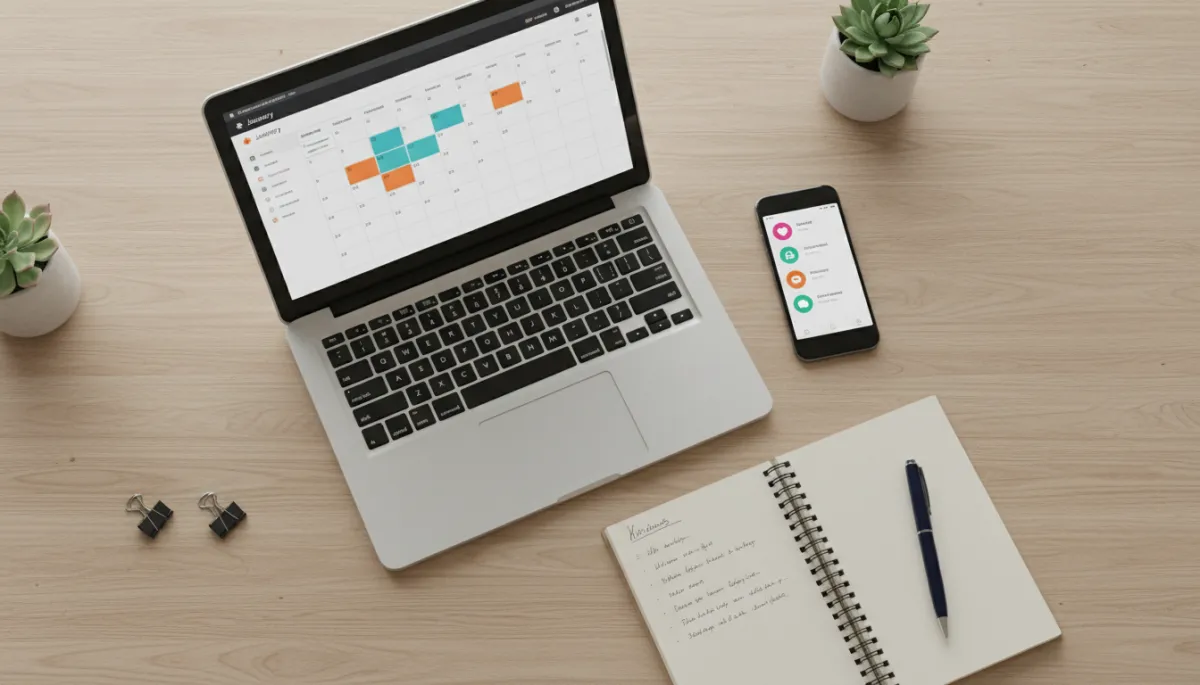
-tone overhead shot of a small business owner’s desk with laptop displaying a social media...
7. Analytics & Dashboards: Seeing the Whole Business at a Glance
Data has long been a strategic advantage for large enterprises. They could afford analysts, custom reporting, and complex business intelligence systems. In 2026, small businesses can achieve much of the same visibility using accessible analytics and dashboard tools that connect to their existing apps.
Tools That Turn Raw Data into Actionable Insight
- Looker Studio (formerly Data Studio): Connects to Google Analytics, Google Ads, and many third-party data sources to create custom, shareable dashboards.
- Metricool and Databox: Aggregate data from websites, social media, email marketing, and CRMs into unified views, so you can monitor key performance indicators in real time (netstripes.com).
Imagine opening a single dashboard each morning that shows:
- Website traffic and top landing pages
- Lead volume and conversion rates from each channel
- Email open and click-through rates for recent campaigns
- Social engagement and follower growth
For a small business owner, this level of clarity supports faster, more confident decisions: which campaigns to scale, which products to promote, and where to cut spend. It shifts you from reactive firefighting to proactive steering—something that used to require a full analytics team.
8. Accounting, Productivity, and Design: Completing the Digital Stack
While CRM, AI, automation, website builders, email marketing, social scheduling, and analytics form the core of a growth-focused stack, several additional categories round out a modern small business toolkit and further close the gap with larger competitors.
Accounting & Finance: QuickBooks and Beyond
Tools like QuickBooks Online handle invoicing, expenses, payroll, and tax preparation while integrating with CRMs, payment processors like Stripe, and e-commerce platforms such as Shopify (lindy.ai). This reduces manual data entry, improves accuracy, and provides real-time visibility into cash flow—critical for small businesses operating with tight margins.
Productivity & Knowledge Management: Notion and All-in-One Suites
Platforms like Notion serve as central hubs for documents, SOPs, project tracking, and internal knowledge. All-in-one suites such as Agiled combine CRM, project management, invoicing, and more into a single workspace, often without per-seat minimums (agiled.app). For small teams, this consolidation simplifies operations and reduces subscription sprawl.
Design & Creative: Canva for Non-Designers
Canva empowers non-designers to produce professional-quality graphics for social media, presentations, and print materials. With templates, brand kits, and AI-assisted design suggestions, a small business can maintain a consistent visual identity without hiring a full-time designer or agency (lindy.ai).
9. How These Tools Together Democratize Business Growth
Each category—CRM, AI, automation, website builders, email marketing, social scheduling, analytics—offers value on its own. The real transformation happens when they are connected into a coherent system that mirrors the sophistication of enterprise tech stacks, but at small-business scale and budget.
From Fragmented Tools to an Integrated Growth Engine
- Your website captures leads and sends them to your CRM.
- Automation tools create tasks for your sales team, trigger email sequences, and log interactions automatically.
- AI assists with crafting personalized outreach and analyzing which segments are most responsive.
- Social scheduling keeps your brand visible while analytics dashboards show which channels and messages generate the best ROI.
This integrated system used to require custom development, large budgets, and full-time specialists. Today, small businesses can assemble it with off-the-shelf tools, no-code connectors, and AI support—often within weeks, not months.

-color scene of a confident small business owner standing in front of a wall-mounted screen...
Levelling the Field in Five Key Ways
- Cost: Subscription pricing and free tiers allow small businesses to access tools that once required six-figure licenses, often for a few hundred dollars per month or less.
- Ease of use: No-code interfaces and AI guidance reduce the need for in-house technical talent, making sophisticated workflows accessible to non-specialists.
- Speed: Implementation timelines have shrunk from months to days. Small businesses can respond quickly to market changes and opportunities.
- Scalability: Tools grow with you, supporting more contacts, transactions, and automation without major system overhauls.
- Insight: Real-time analytics and dashboards provide the kind of strategic visibility that was once the preserve of large enterprises with dedicated BI teams.
10. Strategic Considerations: Security, Governance, and Focus
The abundance of tools in 2026 is both an opportunity and a risk. Experts warn that the explosion of options can overwhelm small businesses and create unnecessary complexity (itpro.com). At the same time, AI-driven cyberthreats—such as deepfakes, phishing bots, and automated scams—are on the rise (tomsguide.com). To truly benefit from digital tools, small businesses need not only adoption but also discipline and safeguards.
Practical Guidelines for Small Business Owners
- Define clear objectives: For each tool, articulate what success looks like—more qualified leads, reduced admin time, higher customer retention—and measure against that.
- Prioritize integration: Choose tools that connect easily to your existing stack, minimizing manual data movement and reducing errors.
- Invest in security and governance: Use strong authentication, restrict access appropriately, and create basic policies around data handling and AI usage. Consider tools and partners that emphasize transparency and compliance (dreher-consulting.com).
- Train your team: Even the best tools underperform if staff are unsure how to use them. Short, focused training sessions and clear SOPs dramatically increase adoption and ROI.
Moving Forward: Building Your 2026 Small Business Tech Stack
The digital landscape in 2026 favors small businesses that are intentional about their tools. You do not need the most complex stack; you need the right combination of CRM, AI, automation, website builder, email marketing, social scheduling, and analytics—configured to support your specific goals and workflows.
A practical approach is to:
- Clarify your top three business priorities (e.g., increase qualified leads, shorten sales cycles, improve customer retention).
- Audit your current tools and identify gaps where manual work or lack of visibility is holding you back.
- Start with one or two high-impact additions—often a CRM plus basic automation or AI assistant—and measure results over 60–90 days.
- Layer in marketing tools like email and social scheduling once your core operations are stable and measurable.
- Consolidate and refine—retire tools that see little use, standardize processes, and deepen automation and analytics where you are seeing clear ROI.
The tools outlined in this article are not just about keeping up with technology trends. They are about reshaping what is possible for small businesses—allowing lean teams to operate with the sophistication, speed, and insight once reserved for large enterprises. With a thoughtful strategy and a willingness to experiment, you can turn digital tools into a durable competitive advantage in 2026 and beyond.
