Automate Your Sacramento Small Business Now
Sacramento Business, Small Business Automation, Local Marketing
5 Things Every Sacramento Small Business Should Automate Right Now
Sacramento’s small business community is resilient, creative, and busy. From Midtown boutiques and East Sac salons to contractors in Elk Grove and professional services downtown, local owners are juggling more tasks than ever. Strategic automation can help you reclaim hours each week, improve customer experience, and compete more effectively in a region that is growing fast and changing quickly. When you automate the right workflows, you create more capacity for what matters most—serving customers, leading your team, and growing your business.
1. Why Automation Matters for Sacramento Small Businesses
Sacramento is no longer just a government town. The region is seeing steady growth in healthcare, construction, hospitality, professional services, and a thriving food and arts scene. That growth brings opportunity—but it also brings more competition and higher customer expectations. Residents who can order same-day delivery from national brands now expect similar responsiveness from their favorite local shop in Land Park or their HVAC company in Natomas.
Automation does not mean replacing people. Instead, it means using tools to handle repetitive, time-consuming tasks so you and your team can focus on high-value work—serving customers, improving services, and building relationships in the community. When implemented thoughtfully, automation becomes a quiet “assistant” running in the background, one that:
Never forgets to follow up with a new lead or send a proposal reminder.
Sends confirmations, reminders, and directions automatically, reducing no-shows and confusion.
Keeps your brand visible online with consistent reviews and social posts—without you living on your phone.
The most successful Sacramento businesses treat automation as infrastructure—similar to your POS system, accounting software, or phone lines. Once it is in place, it quietly supports every customer interaction, from the first Google search to the final invoice payment.
📌 Key Takeaway: The right automations can save Sacramento small business owners several hours each week, reduce lost revenue from missed leads or no-shows, and create a more consistent, professional customer experience.

2. Automate Lead Follow-Up So Sacramento Prospects Never Fall Through the Cracks
Consider how leads typically arrive in your business. Maybe a homeowner in Curtis Park fills out your website form for a roofing estimate. A parent in Arden-Arcade messages your tutoring center on Facebook. Someone picks up your business card at a Midtown networking event and texts you a question. In a busy week, it is easy for at least one of those inquiries to slip through the cracks—and in a competitive local market, slow follow-up usually means lost business.
2.1 What Lead Follow-Up Automation Looks Like
Lead follow-up automation connects your contact points—website forms, Facebook and Instagram messages, Google Business Profile messages, and even phone call logs—into a single system that responds automatically and consistently. When a new lead comes in, the system can:
Instantly send a personalized text or email acknowledging the inquiry and setting expectations for response time.
Assign the lead to a staff member and create a task with a due date for a live follow-up call or consultation.
Trigger a short sequence of follow-up messages over several days if the prospect does not respond right away.
For example, a Sacramento landscaping company might automatically send this text within one minute of a form submission: “Hi Maria, thanks for reaching out about landscaping your East Sac yard. We’ll review your request and call you within one business day. – Green River Landscaping, Sacramento.” The next day, if no call has been logged, the system can notify the owner and send a gentle reminder to the prospect with a link to schedule a consultation.
“Speed to lead is one of the easiest competitive advantages for Sacramento small businesses—automation makes it reliable instead of random.”
2.2 Why It Matters in the Sacramento Market
Many Sacramento residents get multiple quotes before choosing a local provider—whether they are planning a kitchen remodel in Pocket-Greenhaven or comparing accountants in Folsom. Businesses that respond quickly and professionally tend to win more of those opportunities. Automated lead follow-up helps you appear responsive even when you are on a job site in Citrus Heights or serving clients all day in your Oak Park studio.
Faster first response: Automated texts and emails go out within seconds, so prospects feel acknowledged right away.
Consistent follow-up: Sequences ensure you follow up multiple times—without you needing to remember.
Higher close rates: When prospects hear from you first and most consistently, they are more likely to choose you over competitors.
💡 Pro Tip: Customize your automated messages with Sacramento references—mention neighborhoods you serve, local landmarks, or typical project types—to make automation feel more personal and locally grounded.
3. Automate Appointment Scheduling to Reduce No-Shows and Phone Tag
If your business relies on appointments—consultations, classes, treatments, inspections, or estimates—then manual scheduling can become a daily frustration. Sacramento owners often spend evenings returning calls, trying to find times that work, and updating calendars. On top of that, no-shows and last-minute cancellations can be especially painful when you are paying rent in high-traffic areas like Midtown or Downtown Commons.
3.1 What Automated Appointment Scheduling Does for You
Automated scheduling tools integrate with your calendar and allow customers to book available time slots themselves—without back-and-forth emails or calls. A well-configured system can:
Show real-time availability based on your Google or Outlook calendar and business hours.
Offer different appointment types (for example, 15-minute discovery call, 60-minute in-person consultation, virtual meeting) with custom time buffers for travel in the Sacramento area.
Automatically send confirmation emails and SMS reminders 24–48 hours before the appointment, plus a day-of reminder.
Imagine a Midtown wellness clinic that embeds a “Book Now” button on its website and Google Business Profile. A client searching “massage near me” in Sacramento can view real-time openings, select a time that works around traffic on Highway 50, and receive automatic reminders that significantly reduce forgotten appointments. Staff can see the day’s schedule at a glance, without manually confirming each booking.

3.2 Local Considerations for Sacramento Scheduling
Sacramento has its own rhythm: morning commutes from Roseville and Rocklin, afternoon heat that can slow outdoor projects, and seasonal spikes during the legislative session or school year. Automation lets you adapt to these patterns by:
Blocking out travel time between jobs in different neighborhoods (for example, from Natomas to Elk Grove).
Offering extended evening or weekend slots during busy seasons without creating manual scheduling chaos.
Automatically adjusting reminders for virtual versus in-person appointments, including address details and parking tips for areas like Midtown where parking can be limited.
💡 Pro Tip: Include local directions or light transit guidance in your automated reminders—for example, “We’re on J Street near the light rail station”—to reduce late arrivals and last-minute rescheduling.

4. Automate Review Requests to Strengthen Your Sacramento Reputation
In a city where residents increasingly search “best dentist in Sacramento” or “top-rated electrician near me,” your online reviews can make or break a sale before a customer ever calls you. Strong Google and Yelp ratings are especially important for businesses serving walk-in traffic near the Golden 1 Center, Old Sacramento Waterfront, or neighborhood shopping centers across the region.
4.1 How Review Request Automation Works
Most satisfied customers are willing to leave a review—but they forget as soon as they get home, pick up kids from school, or head back to work. Automated review systems help you capture that goodwill while the experience is still fresh. Typically, they:
Integrate with your point-of-sale (POS), booking, or invoicing system to detect when a job or appointment is completed.
Send a friendly text or email within a few hours, thanking the customer and including direct links to your Google and Yelp profiles.
Optionally send a second reminder a few days later if the customer has not yet clicked a review link.
A Sacramento HVAC company, for instance, might automatically text a customer in Elk Grove after a service call: “Thanks again for choosing Capital City Heating & Air. If we earned it, would you mind leaving a quick review? It really helps other Sacramento homeowners find us.” With one tap, the customer is taken straight to the review form—no searching required.

4.2 Building a Strong Local Reputation at Scale
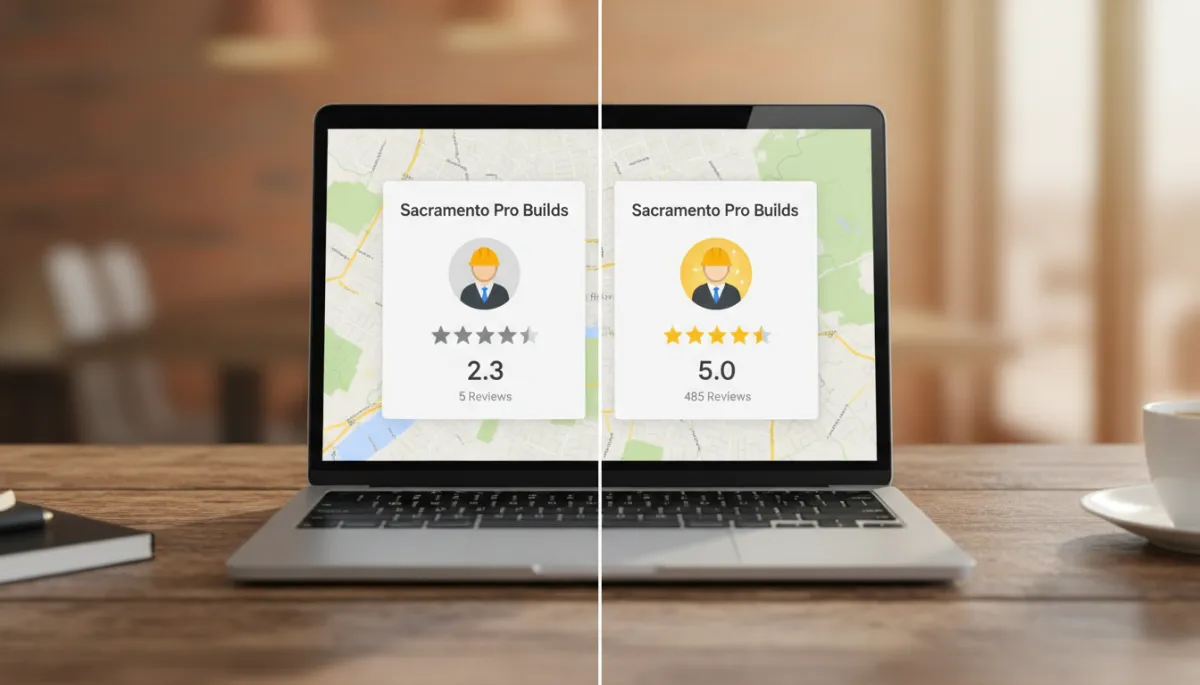
Over time, automated review requests help you build a steady stream of fresh feedback, which is exactly what Google’s local algorithm and Sacramento residents look for. Instead of a burst of reviews once a year, you see a consistent pattern: a few new reviews each week from different neighborhoods and service types. This:
Improves your visibility in “near me” searches across the Sacramento metro area.
Provides social proof that reassures new customers comparing options in areas like Arden Fair or Natomas.
Gives you a regular flow of feedback you can use to improve training, processes, and customer service.
💡 Pro Tip: Use your automation platform to route low-star feedback (for example, 1–3 stars) to a private survey first. This gives you a chance to resolve issues offline before they become public reviews, while still encouraging happy customers to post publicly.
5. Automate Social Media Posting to Stay Visible in the Sacramento Community
Sacramento residents are active on social media, especially when it comes to discovering local restaurants, events, and services. Platforms like Instagram, Facebook, and even LinkedIn help small businesses stay top-of-mind and showcase their work—from a new mural in Oak Park to a before-and-after remodel in Land Park. The challenge is consistency. Many owners post in bursts when they have time, then go silent during busy periods, sending mixed signals to potential customers.
5.1 What Social Media Automation Actually Does (and Does Not) Do
Social media automation does not replace authentic, local content. Instead, it helps you plan and schedule posts in advance so your presence remains steady, even when your schedule is not. A typical workflow looks like this:
Set aside one or two hours per week to plan your content—promotions, behind-the-scenes photos, customer stories, and educational tips relevant to Sacramento.
Use a scheduling tool to upload your photos, write captions, and choose posting times for the week or month ahead.
Let the system publish automatically while you focus on running your business, then spend a few minutes each day responding to comments and messages personally.
For example, a Sacramento café near the Capitol might schedule posts highlighting seasonal drinks, photos from Second Saturday events, and short videos featuring local suppliers from the Central Valley. Automation ensures those posts go out at optimal times, even if the owner is busy managing the morning rush or coordinating with vendors at the farmers market.
5.2 Making Social Content Locally Relevant at Scale
The most effective automated social media strategies for Sacramento businesses still feel human and local. Consider building recurring content “themes” into your automation:
Neighborhood spotlights: Feature projects or customers in different areas—Downtown, East Sac, Natomas, Elk Grove—to show your reach and familiarity with the region.
Event tie-ins: Schedule posts around local events like the Farm-to-Fork Festival, Kings games, or community fairs, even if you are too busy on the day to post manually.
Educational tips: Share advice tailored to Sacramento conditions—like dealing with summer heat, preparing for winter rains, or navigating local regulations for home improvements or permits.
💡 Pro Tip: Use automation to handle posting and basic analytics, but keep responses and direct messages personal. Sacramento customers appreciate knowing there is a real local person behind the account.
6. Automate Invoicing and Payments to Improve Cash Flow and Reduce Chasing
Cash flow is a constant concern for Sacramento small businesses, especially those with seasonal swings or project-based work—contractors, creative agencies, consultants, and many trades. Manually creating invoices, sending reminders, and tracking who has paid can consume hours that could be spent on billable work or strategic planning. Late payments also strain your ability to cover rent, payroll, and inventory in a region where costs continue to rise.
6.1 How Automated Invoicing and Payments Help
Modern invoicing and payment tools allow you to set up templates, recurring invoices, and automatic reminders so that the administrative side of getting paid largely runs itself. Key capabilities include:
Automatically generating and emailing invoices when a job is marked complete or a project milestone is reached.
Offering multiple payment options, including credit card and ACH, so Sacramento clients can pay from their phone or computer without mailing checks.
Sending polite, scheduled reminders before and after due dates, reducing the need for uncomfortable phone calls about overdue balances.
For instance, a freelance designer in Sacramento working with local nonprofits could set up recurring monthly invoices that automatically go out on the first of the month, with a reminder three days before the due date and another if payment is late. The system records payments automatically and updates reports, which simplifies bookkeeping at tax time.
6.2 Local Benefits: Predictable Cash Flow in an Unpredictable Economy
Sacramento’s economy is diverse, but many local businesses still experience uneven revenue—busy summers, slower winters, or spikes tied to state budget cycles and legislative sessions. Automated invoicing and payments help you:
Shorten the time between completing work and receiving payment, improving cash flow predictability.
Reduce administrative overhead so you can focus on revenue-generating activities instead of chasing down checks around town.
Present a more professional, consistent billing experience that matches the expectations of Sacramento’s corporate, government, and residential clients.
💡 Pro Tip: Align your automated invoicing schedule with your major monthly expenses—such as rent and payroll—so payments tend to arrive before those bills are due. This can significantly reduce stress and reliance on credit.
7. Choosing the Right Automation Tools for Your Sacramento Business
With so many software options available, it can be tempting to sign up for multiple tools that overlap or do not integrate well. Instead, start with your business goals and workflows. Ask yourself:
Where do we currently lose the most time—lead follow-up, scheduling, billing, or something else?
Which parts of our customer experience feel inconsistent or manual compared to competitors in Sacramento?
What systems do we already use (for example, QuickBooks, Google Workspace, a POS system), and what integrations are available?
Many small businesses in the Sacramento area find success with platforms that combine several of the automations discussed above—lead capture, scheduling, reviews, and payments—into one system. Others prefer to integrate best-in-class tools for each function. Whichever route you choose, prioritize:
Ease of use: Your team should be able to learn the system quickly without extensive training.
Local support or understanding: Vendors who understand small business realities and, ideally, the Sacramento market, will be more helpful than generic, one-size-fits-all solutions.
Scalability: Choose tools that can grow with you as you add staff, locations, or services across the region.
8. Implementing Automation Without Losing the Personal Touch
One concern many Sacramento owners share is that automation will make their business feel cold or impersonal. This is a valid worry—people choose local businesses because they value relationships and community. The key is to use automation to enhance, not replace, human interaction.
Start by mapping your customer journey—from first discovery through booking, service delivery, payment, and follow-up. Identify the moments where a personal touch matters most, such as initial consultations, complex questions, or handling complaints. Then, design your automations to support those moments rather than compete with them. For example:
Use automated messages to confirm appointments and share logistics, but have a real person call new clients before a major project begins.
Automate review requests, but personally respond to each review—especially from Sacramento locals mentioning specific staff or neighborhoods.
Schedule social posts in advance, but share spontaneous stories when something noteworthy happens in your shop or community.
📌 Key Takeaway: Automation should handle the repetitive, predictable tasks so your team has more time and energy for the uniquely human parts of doing business in Sacramento.
9. A Practical First-Quarter Automation Plan for Sacramento Owners
If you are not sure where to begin, consider a simple 90-day plan focused on the five areas we have covered. This approach is realistic for most Sacramento small businesses and allows you to see tangible benefits quickly without overwhelming your team.
Month 1 – Lead Follow-Up and Appointment Scheduling: Connect your website forms and social media messages to a basic CRM or shared inbox, set up instant acknowledgment messages, and add an online booking link to your website and Google Business Profile.
Month 2 – Review Requests and Social Media Scheduling: Integrate your POS or booking system with a review platform, configure automated review requests, and batch-schedule two to three social posts per week with a Sacramento focus.
Month 3 – Invoicing and Payments: Move at least one service line or client segment to automated invoicing and digital payments, then expand as you gain confidence.
Throughout the quarter, track simple metrics: response time to new leads, appointment no-show rate, number of new reviews per month, social engagement, and average days to get paid. Even modest improvements in each area can add up to a significant impact on your bottom line and your stress level as an owner.
10. Final Thoughts: Competing—and Thriving—in a Growing Sacramento
Sacramento’s growth brings both challenges and opportunities for small businesses. Larger regional and national players are moving into the market, and customer expectations for speed, convenience, and professionalism continue to rise. At the same time, there is a strong “shop local” culture, and many residents actively prefer to support independent businesses when those businesses are easy to work with.
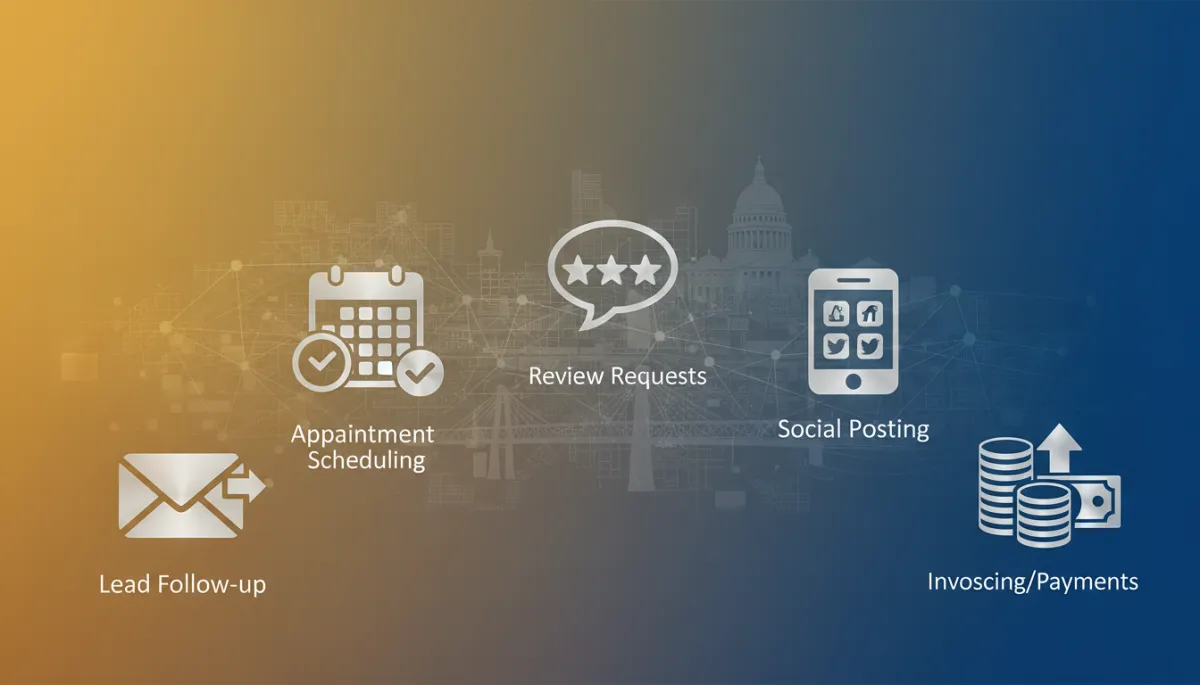
By automating lead follow-up, appointment scheduling, review requests, social media posting, and invoicing/payments, you are not trying to become a faceless corporation. You are giving yourself the tools to operate with the efficiency of a larger organization while preserving the local relationships and personal service that make Sacramento businesses special. The result is more time, more predictable revenue, and a customer experience that keeps people coming back—and referring their friends and neighbors.
Whether you run a small shop in Midtown, a service business that crisscrosses the metro area, or a professional practice serving both local and state-level clients, thoughtful automation can be a powerful ally. Start with one or two of the areas outlined here, measure the impact, and build from there. Over time, these quiet systems working behind the scenes will help your Sacramento small business run smoother, look more professional, and grow more sustainably.