
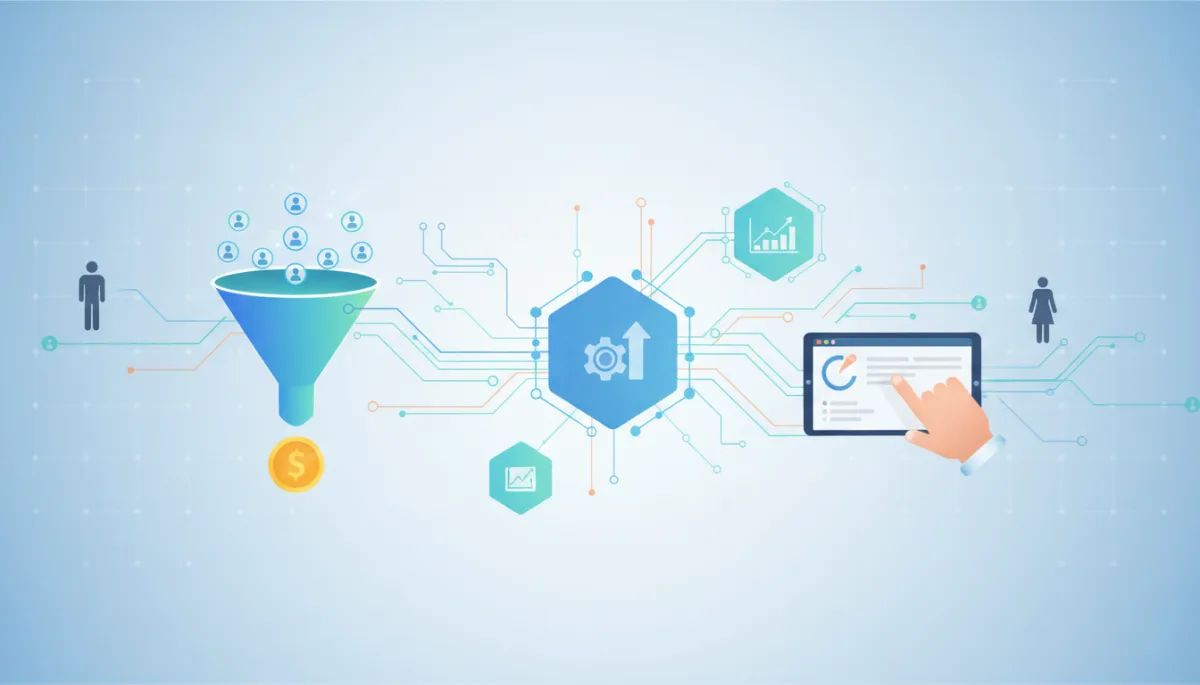
Transform Leads with Simple CRM Setup
CRM Implementation, Lead Conversion, Sales Process Optimization
This Simple CRM Setup Will Transform How You Convert Leads Into Paying Customers
Build a conversion-focused CRM that stops leads from slipping through the cracks, accelerates response times, and turns your sales process into a predictable revenue engine.
The Real Cost of Your Broken Lead Management Process
The sales director’s inbox told the story before the numbers did—another “Just checking in” email from a prospect who had already chosen a competitor. The lead first reached out three weeks earlier, filled out your form, downloaded your guide, and even replied to a nurture email. Yet no one followed up with a meaningful conversation. The opportunity—high intent, high value, ready to buy—quietly died in your CRM.
This is not an edge case. It is the norm in organizations where CRM implementation focuses on storing data rather than driving decisions. Leads are captured but not prioritized, assigned but not pursued, nurtured but not converted. Your team works hard, yet revenue remains inconsistent, and forecasts feel more like hopeful guesses than reliable projections. The real problem is not your market, offer, or team—it is a fragmented lead management process that your CRM silently reinforces every day.
Why Most CRM Implementations Fail to Deliver Results
Many organizations invest heavily in CRM platforms—licensing, integrations, custom fields, and dashboards—yet see little improvement in lead conversion. The technology is rarely the issue. The failure lies in how the CRM is configured and adopted. Instead of being designed around the buyer’s journey and conversion behavior, the system is shaped around internal reporting preferences, legacy processes, and one-off stakeholder requests. The result is a bloated database that feels like administrative overhead rather than a sales advantage.
Three patterns appear repeatedly in underperforming CRM implementations. First, there is no clear definition of a qualified lead, so sales and marketing work from different playbooks. Second, workflows are built around static stages—“New,” “Contacted,” “Proposal”—without any automation that accelerates movement between them. Third, reporting focuses on lagging indicators like closed revenue, while ignoring the leading behaviors that actually drive conversion. When your CRM is not engineered as a conversion system, it becomes a glorified address book with expensive analytics layered on top.
The Conversion-First CRM Setup Framework
High-performing sales organizations treat CRM implementation as a strategic exercise in lead conversion, not as a technical project. They design every field, workflow, and dashboard to answer a simple question—“What needs to happen next to move this lead closer to a buying decision?” The framework below reframes your CRM from passive storage to active orchestration. It focuses on five critical components that, when implemented together, create a predictable, conversion-focused lead management engine.
Response Time Acceleration System
Progressive Qualification Framework
Multi-channel Engagement Orchestration
Objection Anticipation Engine
Conversion Momentum Analytics
These components are platform-agnostic. Whether you use HubSpot, Salesforce, Zoho, or another CRM, the principles remain the same. Your goal is not to use every feature—it is to architect a lean, focused setup that systematically improves lead conversion and sales process optimization without overwhelming your team.
1. Response Time Acceleration System
The moment a new lead enters your CRM is when your leverage is highest. Response time is one of the most powerful—and most neglected—conversion drivers. Prospects who submit a form, request a demo, or download a resource are signaling intent. If they wait hours or days for contact, that intent decays, competitors step in, and your probability of closing the deal collapses. A response time acceleration system ensures that every high-intent lead receives rapid, relevant contact without relying on manual vigilance from your team.
In practice, this begins with clear routing rules. Your CRM should automatically assign leads based on territory, industry, deal size, or product line—whatever best reflects your sales structure. Next, configure immediate notifications through email, mobile apps, or collaboration tools so that assigned reps are alerted within seconds. Finally, pair this with automated first-touch sequences: a personalized confirmation email, a calendar link, or a short qualifying survey. The objective is simple—compress the gap between inquiry and meaningful contact, and you will see a direct lift in lead conversion rates.
2. Progressive Qualification Framework
Traditional lead qualification often swings between two extremes. Either you demand too much information upfront—discouraging form completions and suppressing lead volume—or you collect almost nothing and force sales reps to research every contact manually. Both approaches waste time and erode conversion. A progressive qualification framework solves this by spreading data collection across multiple interactions, guided by clear, shared definitions of what a qualified lead looks like for your business.
Start by aligning sales and marketing on the 10–15 data points that truly predict sales readiness—budget, authority, timeline, use case, tech stack, and key challenges. Map these fields to specific CRM stages and touchpoints. Early forms might capture only name, email, and company. Subsequent content downloads or meeting bookings can request role, team size, or primary goal. Sales conversations then fill in the remaining strategic details. Configure your CRM to visually highlight missing qualification data and prevent stage advancement until critical fields are completed. This turns qualification into a structured, shared process rather than an informal habit that varies by rep.
3. Multi-channel Engagement Orchestration
Buyers rarely convert after a single touch. They research, compare, pause, and return. If your CRM treats engagement as a linear sequence of emails, your pipeline will stall. Multi-channel engagement orchestration recognizes that different prospects respond to different modes of communication—email, phone, LinkedIn, webinars, events—and that consistent, coordinated follow-up is essential. Your CRM should not only log these activities; it should guide and automate them.
Design several core engagement sequences mapped to your primary buyer personas or deal scenarios—new inbound demo requests, event leads, trial users, or reactivated accounts. Each sequence should blend channels over 8–12 touches: timely emails, structured call tasks, social touches, and value-driven content. Use CRM workflows to automatically enroll leads into the right sequence based on their source, behavior, and qualification status. Sales reps should see clear next steps within each record, not guess which action to take. Over time, analyze which sequences produce the highest meeting and proposal rates, then refine accordingly. This is where CRM implementation directly shapes day-to-day sales process optimization.
4. Objection Anticipation Engine
Every sales team can list the objections they hear most often—price, timing, internal priorities, competing solutions. Yet few CRMs are configured to help reps anticipate and address those objections systematically. Instead, responses depend on individual experience and improvisation. An objection anticipation engine transforms this into a structured, repeatable advantage embedded in your CRM. When configured correctly, your system becomes a repository of proven responses, case studies, and tools that support confident, consistent objection handling across the team.
Begin by documenting the top 10–15 objections by segment or product line, along with the most effective responses your top performers use. Store these within your CRM as easily accessible templates, playbooks, or knowledge base entries linked to deal records. Add fields that capture which objections appear in each opportunity and at what stage. Trigger follow-up tasks or content sends—ROI calculators, implementation timelines, comparison sheets—when specific objections are logged. Over time, you will not only improve your close rate, you will also gain clear data on which objections are most damaging and where process or messaging improvements are needed upstream.
5. Conversion Momentum Analytics
Most CRM dashboards are dominated by lagging metrics—closed revenue, pipeline value, win rate. These are essential for reporting but insufficient for optimization. To actively manage lead conversion, you need visibility into the leading indicators that predict deal progression: time-to-first-touch, number of meaningful conversations, sequence completion rates, proposal turnaround time, and stakeholder engagement. Conversion momentum analytics turn your CRM into an early warning system, highlighting where leads are stalling before they quietly disappear.
Identify 5–7 behavioral metrics that correlate strongly with successful conversions in your environment. Configure dashboards that surface these metrics at the rep, team, and pipeline levels. Layer in alerts when thresholds are breached—leads untouched for 24 hours, deals stuck in a stage beyond your ideal duration, or opportunities without next steps scheduled. This level of visibility allows leaders to coach proactively and enables reps to manage their day around activities that actually move revenue, not just update records for compliance.
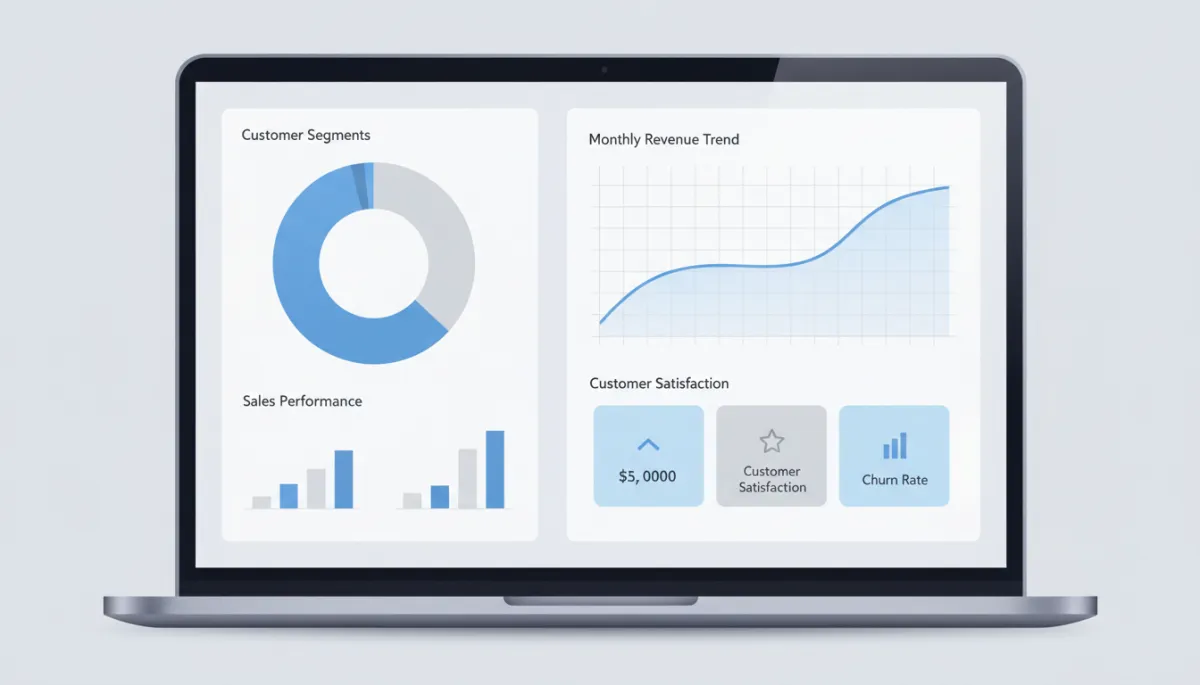
Focusing on leading indicators creates earlier intervention points and stronger conversion momentum.
Implementing Your Conversion-Focused CRM in 10 Days or Less
You do not need a multi-month, cross-department project to realize meaningful gains in lead conversion. By concentrating on the five components above and resisting the urge to customize everything at once, most organizations can stand up a conversion-focused CRM implementation in 10 working days or less. The key is disciplined sequencing—address the elements that impact response time and qualification first, then layer in orchestration, objection handling, and analytics. What follows is a practical roadmap that aligns configuration with real sales behavior, not theoretical process diagrams.
Days 1–2: Response Acceleration Setup
Start by auditing every entry point where leads touch your business—website forms, chat, events, referrals, partner portals, and imports. Confirm that each source is connected to your CRM and tagged correctly. Then, define clear ownership rules for new leads based on geography, segment, product, or capacity. Configure automated assignment and instant notifications to the right owners. Pair this with a standard first-response template library and, where appropriate, automated confirmation messages that set expectations for next steps. Your objective for these two days is simple—no new lead enters your system without clear ownership and a rapid, consistent first touch.
Days 3–4: Progressive Qualification Framework
With response acceleration in place, shift your focus to qualification. Convene sales and marketing leaders to define your ideal customer profile and sales-qualified lead criteria. Translate these into specific CRM fields—both required and optional. Simplify your initial forms to capture only essential contact details, then design follow-up touchpoints that request additional information at logical moments. Within the CRM, configure stage-specific required fields, visual indicators for missing data, and simple scoring rules that elevate high-fit, high-intent leads. By the end of day four, you should have a shared, operational definition of lead quality embedded directly into your CRM structure.
Days 5–6: Multi-channel Engagement Orchestration
Next, design the engagement journeys that will carry leads from initial contact to qualified opportunity. Identify your three to five most common lead scenarios—such as inbound demo requests, content downloads, webinar attendees, or outbound-sourced contacts. For each scenario, map an 8–12 step sequence spanning email, calls, social outreach, and value-driven content. Implement these sequences using your CRM’s automation tools, ensuring that each step creates clear tasks or sends communications at defined intervals. Train your sales team on when and how leads are enrolled, and how to personalize within the structure. This is where sales process optimization becomes tangible—your team wakes up to prioritized, pre-structured follow-up rather than a blank slate of disconnected records.
Days 7–8: Objection Anticipation Engine
During days seven and eight, embed your best objection-handling practices into the CRM. Interview your top performers to capture the objections they encounter most often and the responses that consistently move deals forward. Convert these into structured notes, templates, and short internal playbooks. Store them in a central, searchable location tied to opportunity records. Add simple fields that allow reps to tag which objections surfaced in each deal and at which stage. Configure automated suggestions—such as sending a relevant case study—when certain objections are logged. This turns your CRM into a live enablement system that supports newer reps and standardizes high-impact conversations across the team.
Days 9–10: Conversion Momentum Analytics
Finally, shift your attention to analytics that drive action. Review recent closed-won and closed-lost deals to identify patterns—time to first contact, number of touches before meeting, proposal cycle length, and multi-stakeholder engagement. Select a small, focused set of leading indicators that correlate with success. Build dashboards for sales reps, managers, and executives that highlight these metrics visually, not as dense tables. Configure alerts for stalled leads, aging opportunities, and missing next steps. By the end of day ten, your CRM should surface where momentum is building, where it is fading, and where targeted intervention will protect your pipeline before it erodes.
The Transformation: Before and After
When you re-engineer your CRM around conversion, the impact is both immediate and compounding. Within the first 30 days, you typically see visible improvements in response times, follow-up consistency, and meeting volume. Reps spend less time searching for information and more time in qualified conversations. Marketing gains clarity on which channels and messages produce sales-ready leads, not just form fills. Leadership begins to trust the pipeline because activity and progression are clearly documented, not inferred from anecdotal updates.
Over the following 60–90 days, your sales process optimization efforts compound. Bottlenecks become easier to diagnose and resolve. You can see where leads stall, which objections derail deals, and which engagement sequences outperform others. Training becomes more targeted because you have objective, behavior-level data rather than broad assumptions. Most importantly, conversion rates from lead to opportunity, and from opportunity to closed-won, begin to climb in a measurable, repeatable way. The same volume of leads now produces more revenue, with less friction and fewer surprises.
Common Challenges and How to Overcome Them
Even a well-designed CRM implementation will encounter resistance and obstacles. Anticipating these challenges—and addressing them deliberately—ensures that your conversion-focused setup does not stall after launch. The most frequent barriers involve sales team adoption, data quality, and process complexity. Each can be mitigated with intentional design and clear communication anchored in measurable business outcomes, not just system features.
Sales Team Resistance
Many sales professionals associate CRM changes with more admin work and less selling. If they perceive the system as a compliance tool rather than a revenue enabler, adoption will be superficial at best. To overcome this, anchor every configuration decision in a clear benefit for the rep—fewer manual tasks, prioritized daily work, higher-quality leads, and better support in navigating complex deals. During training, focus less on where to click and more on how the new workflows help them hit quota faster with less friction. Reinforce early wins publicly to demonstrate that the system is designed for their success, not just for reporting.
Data Quality Issues
Legacy CRM data is often incomplete, inconsistent, or outdated, which undermines confidence in the system. Attempting a massive, one-time cleanup before implementing conversion-focused changes usually delays progress and exhausts resources. Instead, adopt a rolling improvement approach. Implement your new structure, then layer in guardrails that prevent bad data from reentering—required fields, validation rules, and standardized picklists. As leads and opportunities are actively worked, update and normalize their records. Over time, the most commercially relevant segments of your database become accurate and actionable, without halting forward momentum.
Process Complexity
The temptation to capture every possible scenario, exception, and edge case in your CRM will quickly lead to complexity that overwhelms users. When processes become too intricate, reps revert to old habits, and your carefully designed workflows are bypassed. The solution is to start with a Minimum Viable Process—only the stages, fields, and automations required to support the five conversion-focused components. Once adoption is strong and the system is delivering visible results, you can add complexity selectively where it demonstrably improves lead conversion or operational efficiency. Simplicity is not a compromise; it is a strategic advantage in driving consistent usage.
Your Next Steps: From Theory to Implementation
A CRM that merely records activity is no longer sufficient in competitive markets. To win consistently, you need a system that actively shapes behavior—accelerating response times, structuring qualification, orchestrating engagement, equipping objection handling, and surfacing momentum. The framework outlined here is intentionally practical. It does not require a new platform, a full rebrand, or a complete restart. It requires clarity on your conversion goals, discipline in your configuration, and commitment to aligning your sales process with how your buyers actually make decisions.
Unlock Your CRM’s Full Conversion Potential
Begin by assessing your current state—where leads leak from your funnel, which stages stall, and how consistently your team follows up. Then, prioritize the five components based on impact and feasibility in your environment. Implement response acceleration and progressive qualification first, because they directly influence every new lead that enters your system. From there, layer in orchestrated engagement, objection support, and momentum analytics. Treat this not as a one-time project but as an ongoing capability—review, refine, and iterate as your market, offerings, and team evolve. When your CRM is deliberately engineered for lead conversion and sales process optimization, it stops being an expense line and becomes one of your most reliable growth assets.
